
Press
Press and brand assets
Everything on this page may be republished without asking — in a review, a directory listing or an article. Each asset's address is printed beside it, because the usual reason to be here is a form that wants a URL rather than a file. The launch press release is first, then the assets.
Anything missing, or a version of an image you need at another size? Write to hello@caddora.ie and it will be made.
Press release
Issued 6 October 2026. Republish it whole, quote the founder, or lift a sentence — it is here to be used, and needs no permission. This is the address to link from an article or a press-release channel.
https://refreshyourmac.com/press/#releaseFOR IMMEDIATE RELEASE
Irish-made Atzu Safe Data Cleaner measures your Mac storage before it deletes anything
Naas, Co. Kildare, Ireland, 6 October 2026
"Working as a Product Manager/Maker with new AI UI design and development tools, I found my laptop disk was getting full very quickly. It was becoming too time-consuming clearing redundant data and investigating what data was safe to delete, so I made Atzu Safe Data Cleaner to do that for me," said John Sheehy, founder of Caddora.
Atzu Safe Data Cleaner identifies data on your Mac that can be deleted safely, to free you up to keep working. It quickly scans your Mac, identifies what's safe to delete, and frees space with a button press, or on a daily schedule based on your selections.
Key features
- It measures first. It shows you how much it found before anything is removed.
- Four safety levels. Safe to Remove, Review, Move to Backup and Protected. Nothing is deleted without asking.
- Safe scheduled cleaning. Scheduled cleaning only ever takes Safe to Remove categories.
- A warning before the disk is full. Atzu Safe Data Cleaner lives in the menu bar. The icon turns orange as the disk fills and red when it is nearly full.
- Maintenance, measured first. Seven maintenance jobs, each measured against your Mac before it is offered.
- Honest about memory and malware. Instead of a memory purge, it shows how much memory is genuinely spare, and offers the only thing that returns memory: quitting an app. Instead of its own malware scanner, it reads your Mac's real XProtect signature version and Gatekeeper state.
Private by design. There is no account and no telemetry, and nothing about your Mac's contents leaves your Mac.
Pricing and availability
Atzu Safe Data Cleaner is available now from https://refreshyourmac.com/: $14.99 a year with the first 7 days free, $1.99 a month, or $24.99 once, the one-time price a fraction of the best-known Mac cleaners'. It requires macOS 15 or later. A smaller, sandboxed edition, Atzu: Storage Cleaner, is sold separately on the Mac App Store.
About Caddora
Caddora is an independent Irish app developer based in Naas, Co. Kildare, and makes Atzu Safe Data Cleaner and SofiLingo.
Press contact
John Sheehy, Caddora
hello@caddora.ie
Press kit, screenshots and logos: https://refreshyourmac.com/press/
Review licences: a free licence key for the download is available to journalists reviewing Atzu Safe Data Cleaner.
###
Download links
The first two are direct HTTPS links to the same notarised disk image, served from Cloudflare R2, with no landing page or redirect in between. That is the full app, unlocked with a licence key from this site.
- Always the newest build
https://downloads.refreshyourmac.com/Atzu-Safe-Data-Cleaner.dmgPermanent. This URL is what the site's own Download button uses, and it never has to be updated.- Version 1.5, immutable
https://downloads.refreshyourmac.com/RefreshYourMac-1.5.dmgA versioned URL never names two different files, so it is safe to mirror or cache. It will not follow future releases.- Atzu: Storage Cleaner, the Mac App Store edition
https://apps.apple.com/app/id6812530620?mt=12A separate, smaller sandboxed app (version 1.7), bought in the App Store. It takes no licence key, so a key from this site does not unlock it.
Icon

32×32 PNG
https://refreshyourmac.com/press/icon-32.pngThe bolt alone. The full icon loses its loop and sparkles below about 240px, so this is the mark the app itself uses at small sizes — the same artwork as the favicon.

256×256 PNG
https://refreshyourmac.com/press/icon-256.pngThe app icon as macOS draws it.

512×512 PNG
https://refreshyourmac.com/press/icon-512.pngThe app icon as macOS draws it.

1024×1024 PNG
https://refreshyourmac.com/press/icon-1024.pngMaster. Downscale from this rather than re-exporting artwork.
Screenshots
PNG, taken on 8 October 2026 on a real Mac running the real app. The scan results in them are the app's sample data, the kind of figures a busy Mac with Xcode on it shows the first time it is scanned, so no personal file name appears; the CPU and memory readings are that Mac's own. The site serves these as WebP; these are the same images in PNG, for anywhere that does not take WebP.
Nightfall
The default skin: dark, with cyan and violet glows. See it on the skins page.
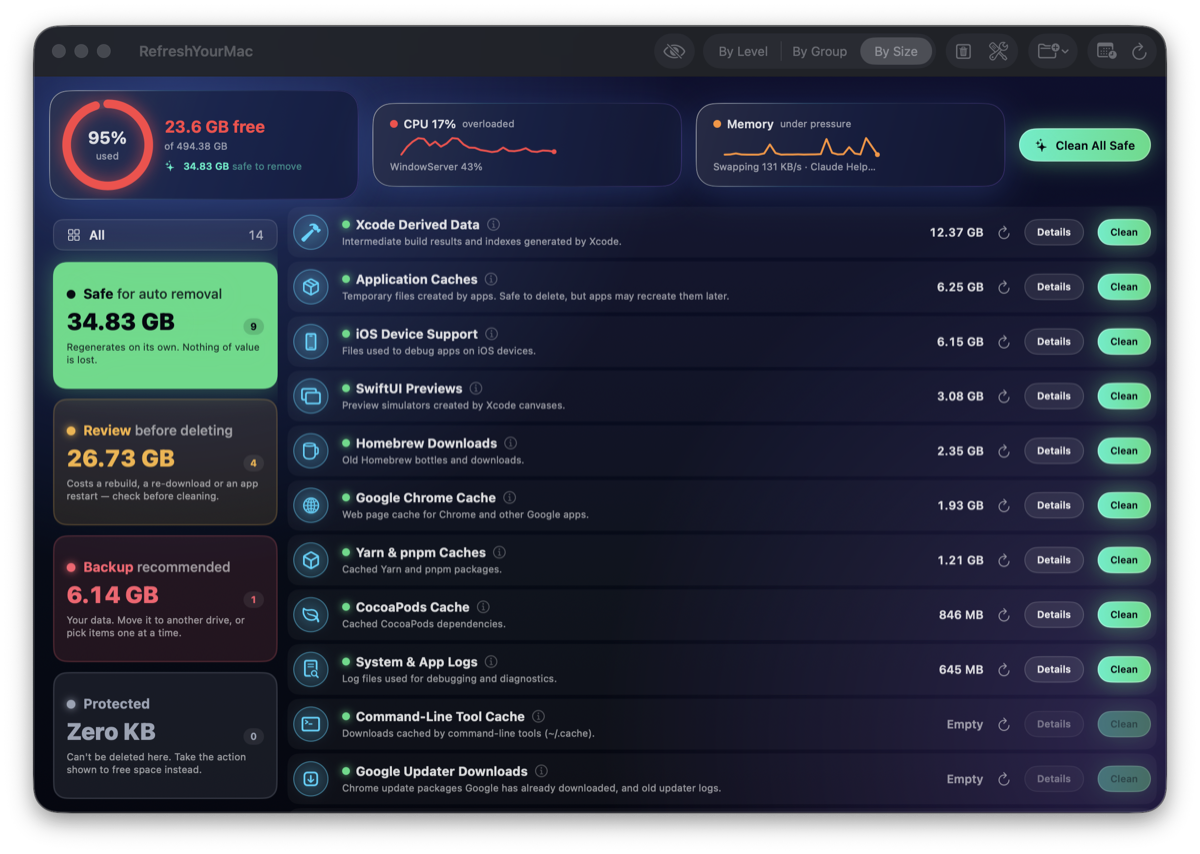
The main window — 1200×854
https://refreshyourmac.com/press/screenshot-window.pngThe one to use where a form asks for a single screenshot.
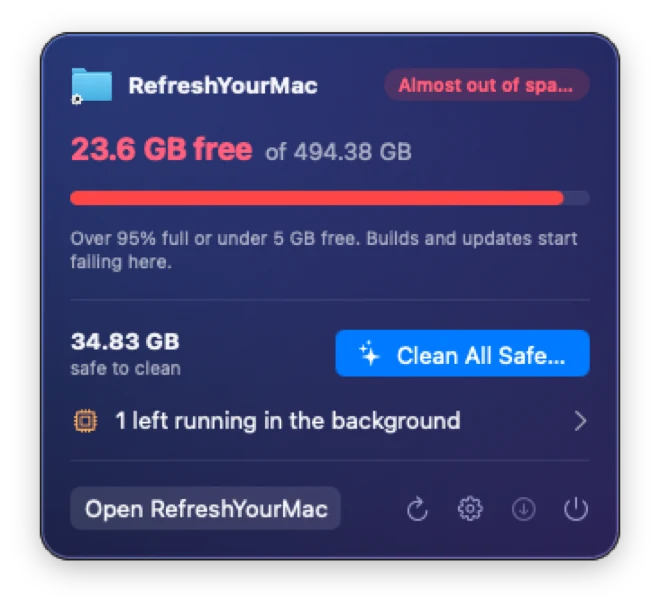
The menu bar panel — 660×607
https://refreshyourmac.com/press/screenshot-menubar.png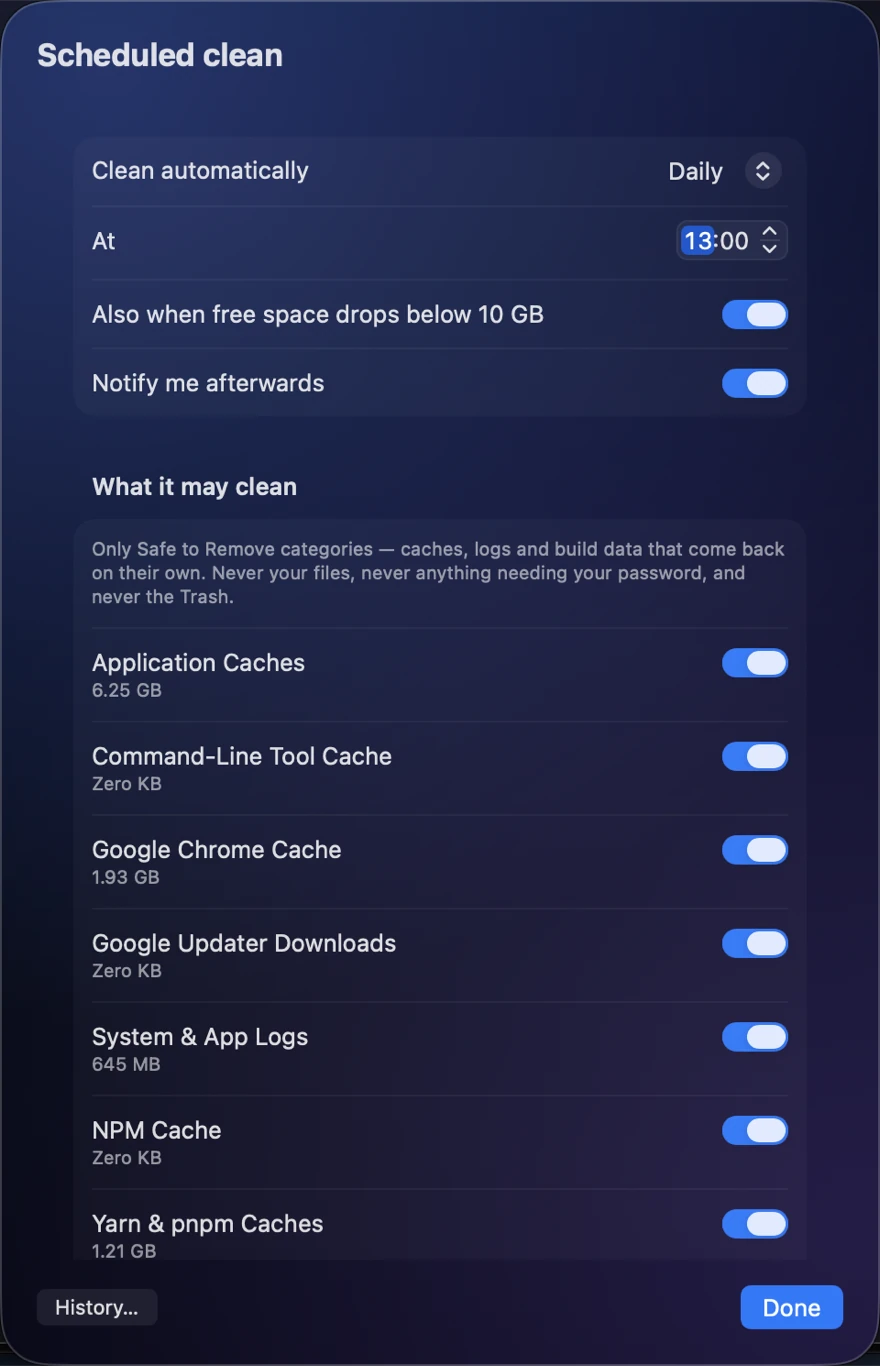
Scheduled cleaning — 880×1366
https://refreshyourmac.com/press/screenshot-schedule.png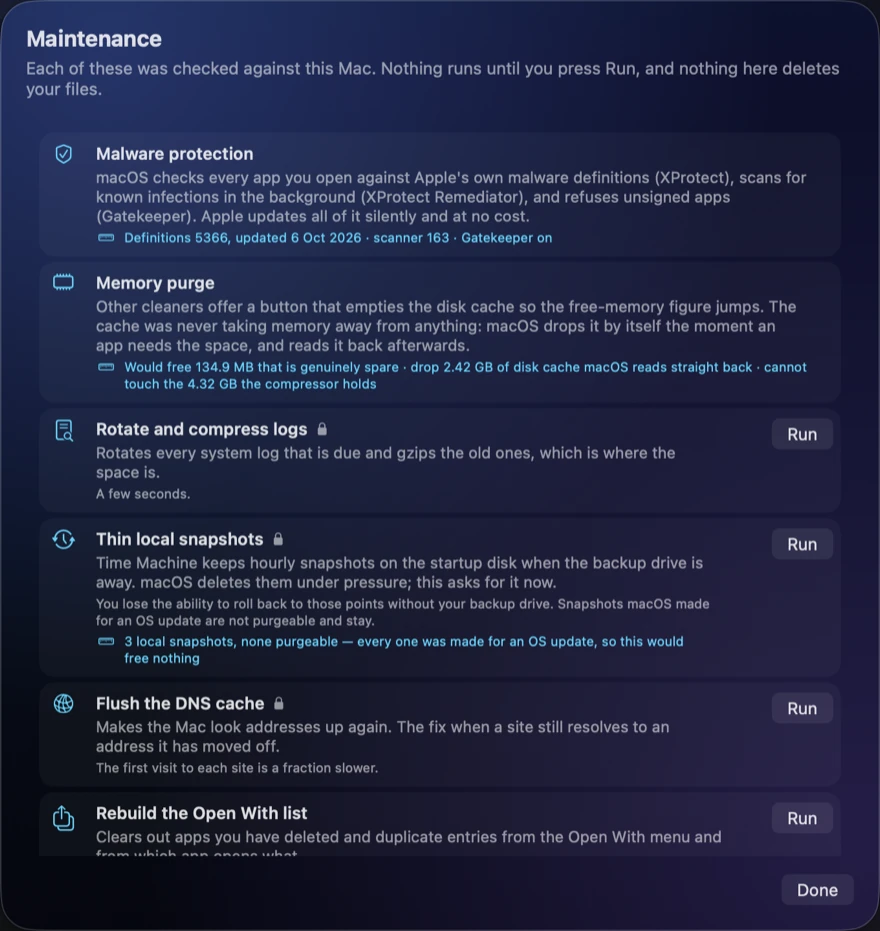
Maintenance jobs — 880×931
https://refreshyourmac.com/press/screenshot-maintenance.png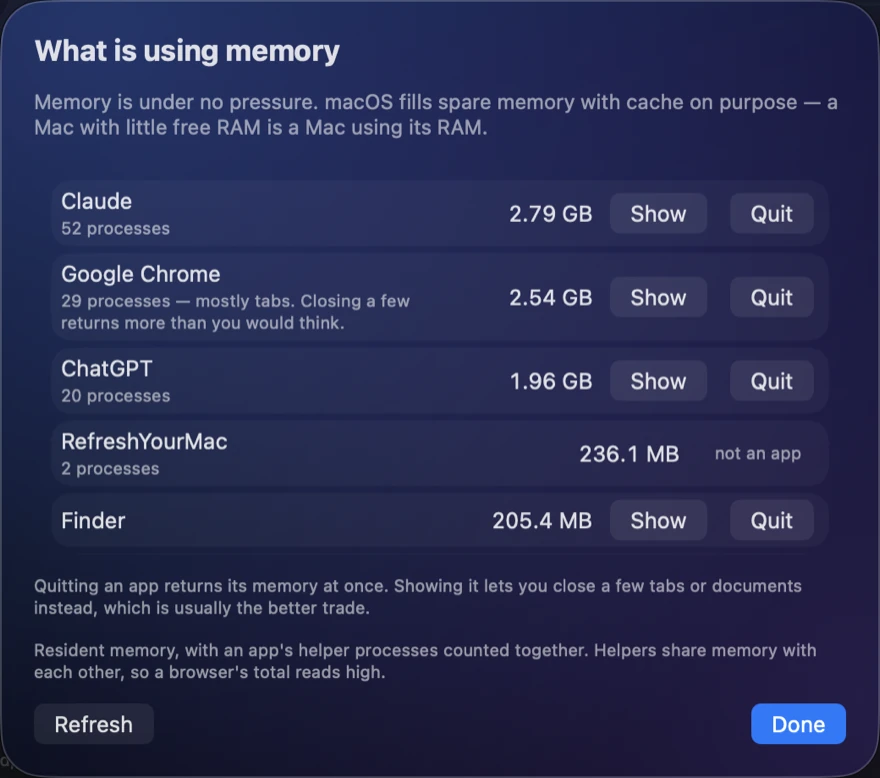
CPU and memory — 880×778
https://refreshyourmac.com/press/screenshot-memory.pngHibernia Glass
The light skin, with Apple's Liquid Glass on macOS 26. The same views and the same sample figures as Nightfall, so the two can sit side by side. See it on the skins page.
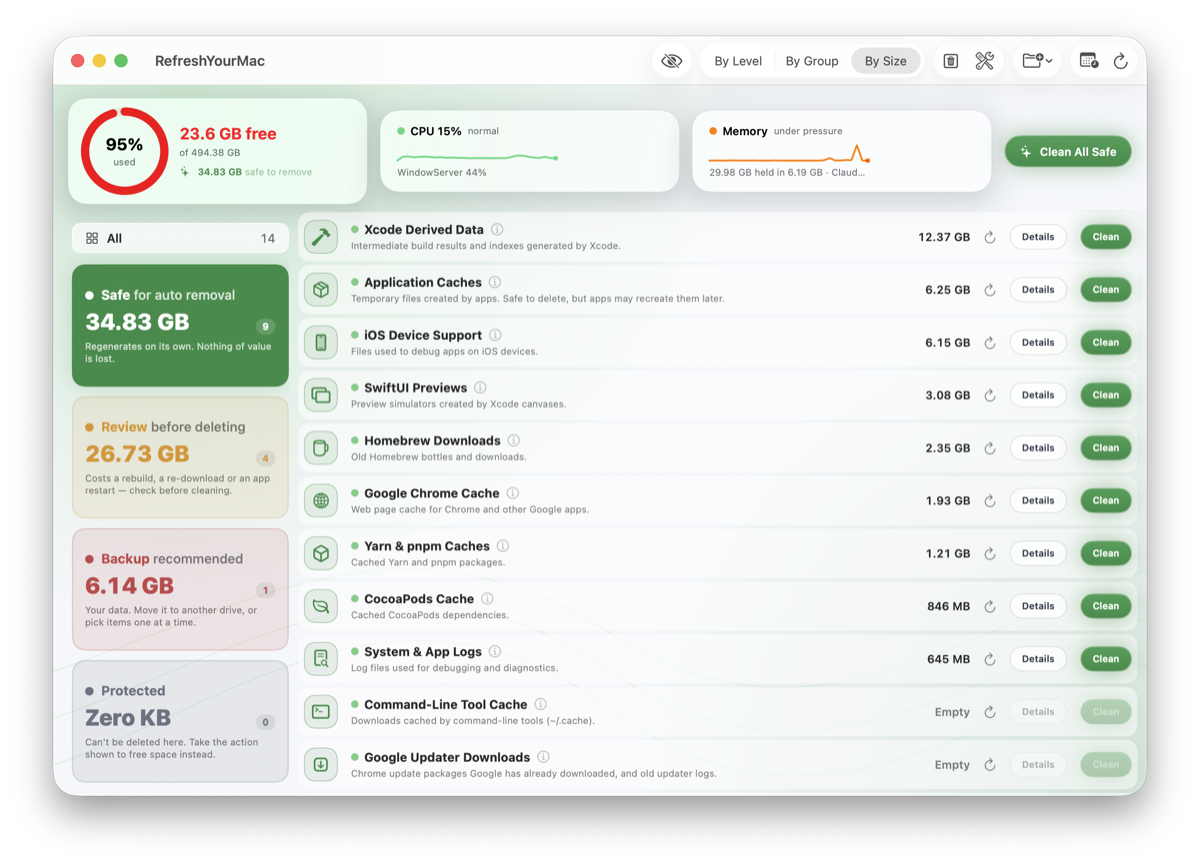
The main window — 1200×866
https://refreshyourmac.com/press/screenshot-window-hibernia.png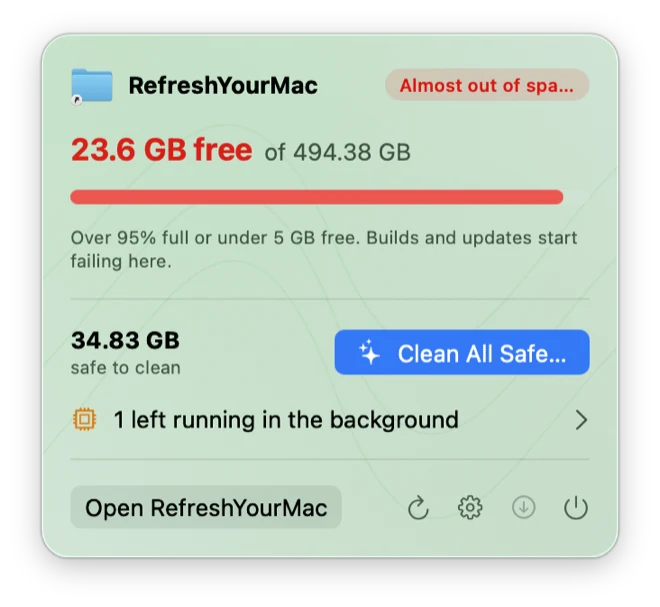
The menu bar panel — 660×607
https://refreshyourmac.com/press/screenshot-menubar-hibernia.png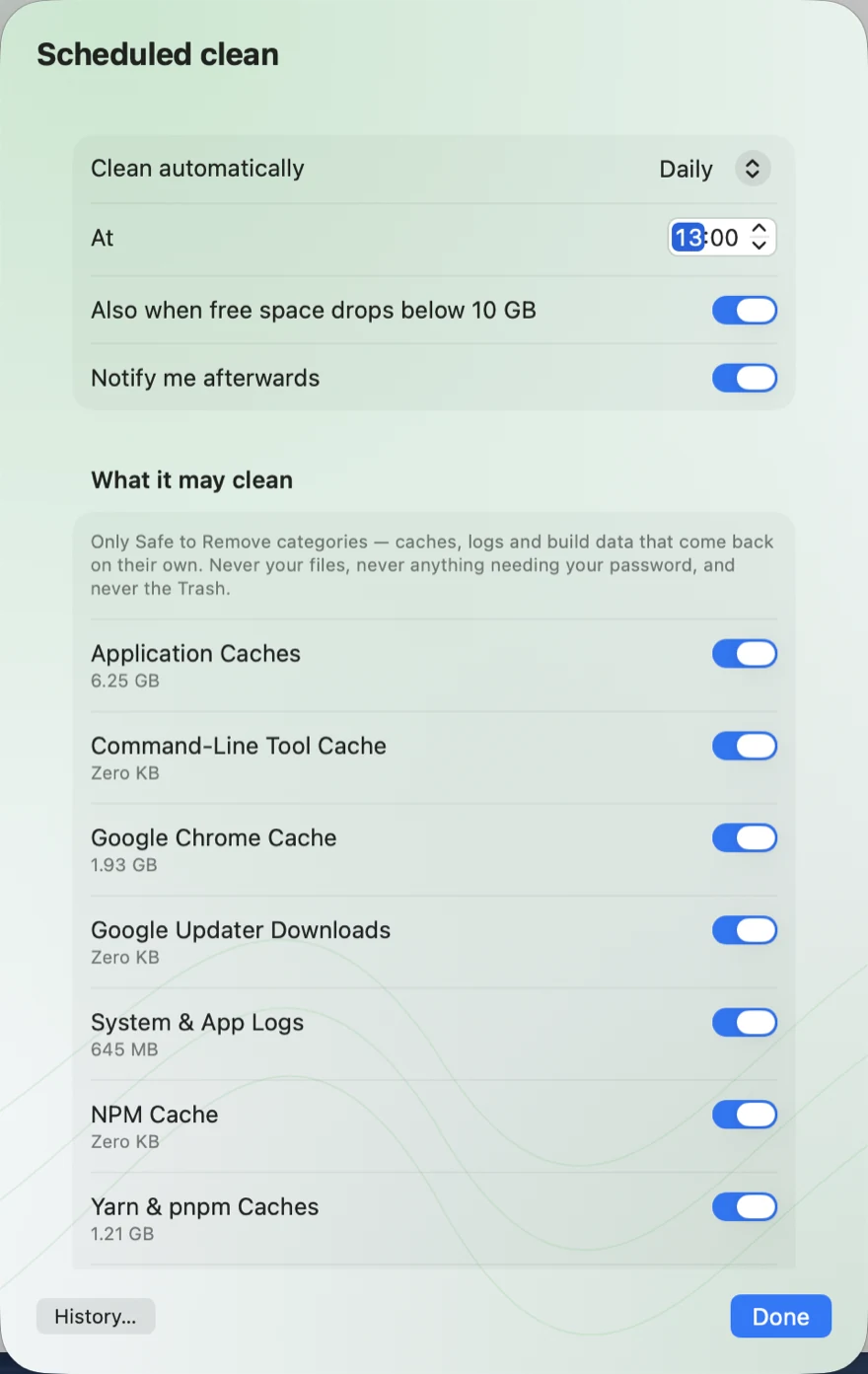
Scheduled cleaning — 880×1393
https://refreshyourmac.com/press/screenshot-schedule-hibernia.png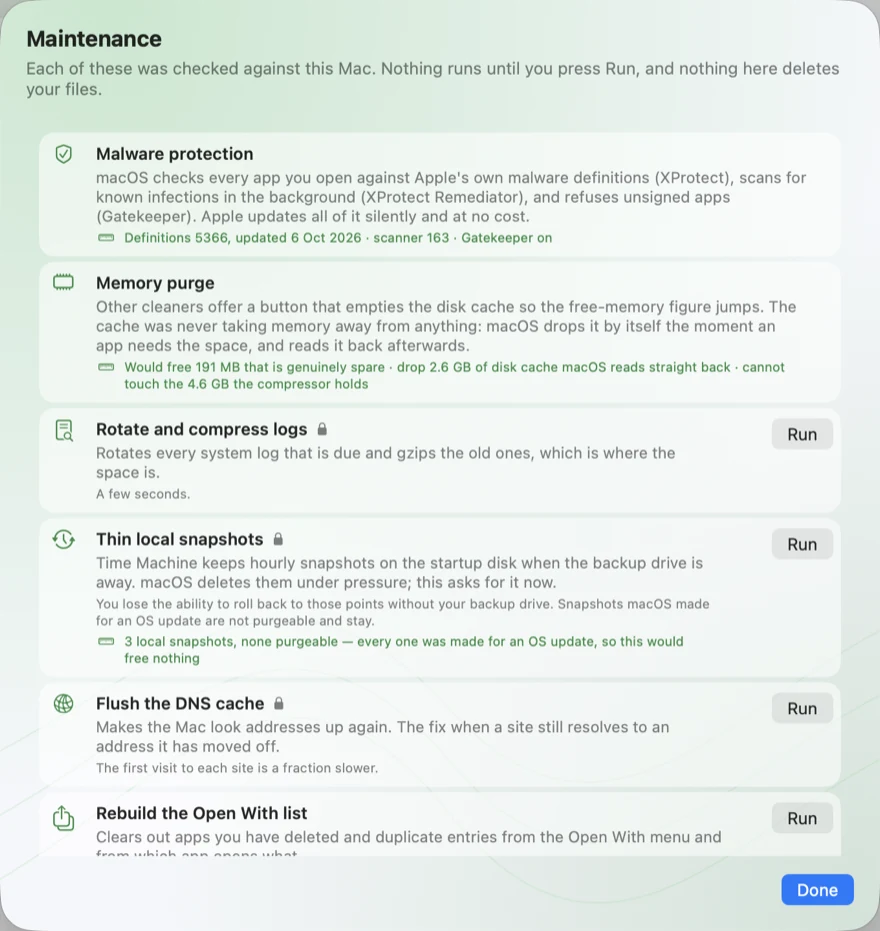
Maintenance jobs — 880×931
https://refreshyourmac.com/press/screenshot-maintenance-hibernia.png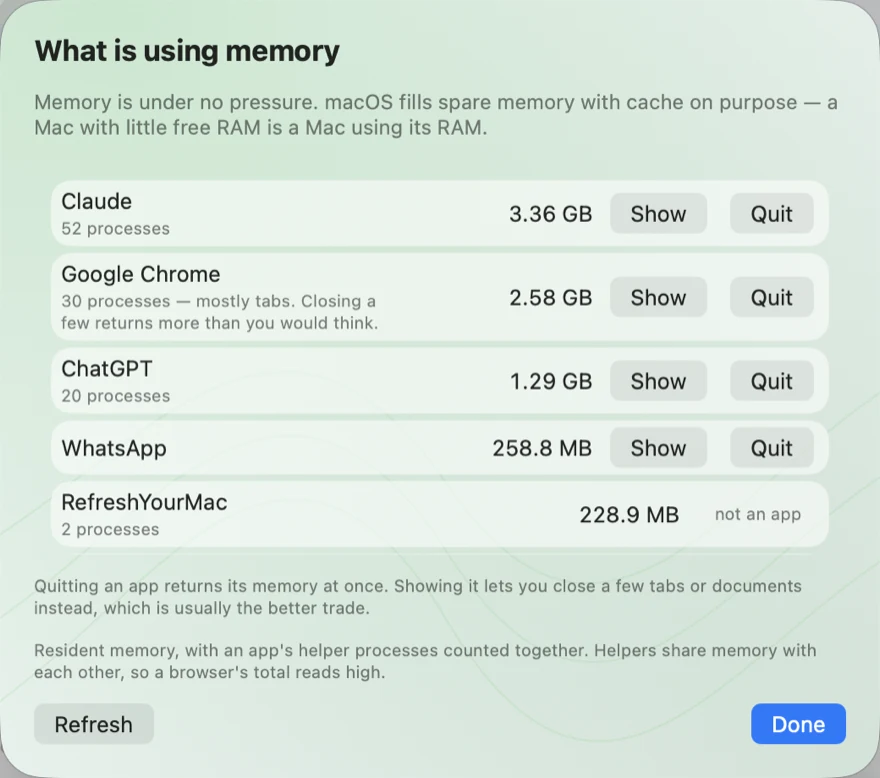
CPU and memory — 880×778
https://refreshyourmac.com/press/screenshot-memory-hibernia.pngVideo
Clips to cut with
Silent MP4s, recorded on 8 October 2026, for editors who want to cut the app into their own video. No cursor and no captions.
The app scanning, in Nightfall — 2400×1440, 23 s
https://refreshyourmac.com/press/clip-app-scan-nightfall.mp4The ring fills to 100% and the rows count up. The first second is the window at rest.
The app scanning, in Hibernia Glass — 2400×1440, 23 s
https://refreshyourmac.com/press/clip-app-scan-hibernia.mp4The same scan in the light skin.
Scanning scene, from the homepage — 1852×962, 17 s
https://refreshyourmac.com/press/clip-website-scan.mp4Drawn in CSS and loops every 14 seconds, so any 14-second stretch cuts seamlessly.
Cleaning scene, from the homepage — 1852×1284, 17 s
https://refreshyourmac.com/press/clip-website-clean.mp4One clean freeing 758 MB. Loops every 9 seconds.
Descriptions
Written to the lengths listing forms ask for. Counts include spaces.
One line
A Mac cleaner that identifies what is safe to delete
Short — 339 characters
Atzu Safe Data Cleaner (formerly RefreshYourMac) is a Mac cleaner that identifies what is safe to delete. It looks everywhere space builds up, rates what it finds by how safe it is to remove, and deletes nothing without asking. Works by touch on the new MacBook Pro. $14.99 a year with the first 7 days free, $1.99 a month, or $24.99 once.
Long — 1223 characters
Atzu Safe Data Cleaner (formerly RefreshYourMac) is a disk-cleanup app for macOS, built on one idea: show what is safe to delete, then let you decide. It looks everywhere space builds up on your own Mac — caches, logs, Xcode DerivedData and simulator runtimes, package caches, the leftovers of AI coding tools, duplicates and unused apps — and rates everything it finds Safe for auto removal, Review before deleting, Backup recommended or Protected. The rating decides what the buttons may do, so your own files cannot be swept up in a bulk clean, and nothing is deleted without asking. Scheduled daily cleaning only ever takes Safe for auto removal categories. It works by touch on the new touchscreen MacBook Pro. It will not purge memory or scan for malware: it shows how much memory is genuinely spare, and reports XProtect's signature version and Gatekeeper's state. It is a notarised direct download, because almost everything it checks is out of reach of Apple's sandbox; a smaller edition, Atzu: Storage Cleaner, is sold separately on the Mac App Store. No account, no telemetry. The download is $14.99 a year with the first 7 days free, $1.99 a month, or $24.99 once. macOS 15 or later. Made in Ireland by Caddora.
Top six features
For the short feature list a listing form asks for. A form that takes five can drop the last one: the price is in every description above. The fuller picture — what each safety level means, what the app will not do and why — is on the pages linked in the footer.
It identifies what is safe to delete
A scan shows how much space each safety level holds, everywhere space builds up: every item, how big it is and which app or tool put it there.
Four safety levels, and the rating decides what the buttons may do
Every category is rated Safe for auto removal, Review before deleting, Backup recommended or Protected. That rating is enforced rather than advisory, which is what stops your own files being swept up by a bulk clean.
It finds what most cleaners do not look for
Xcode DerivedData, old simulator runtimes, iOS device support, package manager caches, and the scratch folders and histories left behind by AI coding tools — alongside the usual caches, logs, duplicates, large files and unused apps.
Designed for touch on the new MacBook Pro
On the touchscreen MacBook Pro everything works with a finger: a ⋯ button on every row instead of right-clicking, room for a fingertip around the small buttons, and tick boxes instead of ⌘-click.
Scheduled daily cleaning that can only take the safe things
It runs on Safe for auto removal categories and nothing else: never your own files, never anything that needs your password, and never the Trash.
No account, no telemetry, pay once if you like
There is nothing to sign into and nothing about your Mac's contents leaves it. $24.99 buys a licence outright; or start with a free week of the yearly plan ($14.99 a year after it), or pay $1.99 a month.
The facts
| Name | Atzu Safe Data Cleaner |
|---|---|
| Developer | Caddora, Ireland |
| Website | https://refreshyourmac.com |
| Category | Utilities / System maintenance / Disk cleanup |
| Platform | macOS — macOS 15 or later, Apple silicon and Intel |
| Latest version | 1.5 (download); 1.7 (Atzu: Storage Cleaner) |
| Licence | Commercial. The download: $14.99 a year with the first 7 days free, $1.99 a month, or $24.99 once, from this site. Atzu: Storage Cleaner: $14.99 a year with the first 7 days free, $1.99 a month, or $24.99 once, through the Mac App Store. A licence key from this site unlocks the download only; Atzu: Storage Cleaner has no licence key and is bought in the Mac App Store, and neither purchase unlocks the other. |
| Free to try | The yearly plan starts with 7 days free, in both editions. |
| Distribution | Direct download, signed and notarised by Apple. Also on the Mac App Store as Atzu: Storage Cleaner, a separate and smaller sandboxed edition. |
| Contact | Press: hello@caddora.ie. Customer support: support@caddora.ie. |
Listings
Where Atzu Safe Data Cleaner is already listed, and the badge each directory issues. Every badge is served from this domain rather than from the directory, so carrying one does not report a reader back to them — the reason is written out beside LISTINGS in src/data/site.ts. A directory whose listing is not published yet carries its badge in the footer and has nothing to link here, so it is not in this list.

Fazier
https://fazier.com/launches/www.refreshyourmac.com
SaaSearch
https://saasearch.io/product/refreshyourmac
PeerPush
https://peerpush.com/p/refreshyourmac
Launch List
https://www.launch-list.org/product/atzu-safe-data-cleaner
NativeShelf
https://nativeshelf.com/refreshyourmac
Toolradar
https://toolradar.com/tools/refreshyourmac
MacPip
https://macpip.com/apps/refreshyourmac
iPip
https://ipip.fyi/apps/atzu-photo-video-cleaner
Directree
https://www.directree.io/tool/atzu-storage
LookingForTools
https://lookingfortools.com/projects/atzu-storageThree things it is easy to get wrong
Not house style — these are the claims the app deliberately does not make, and a listing that makes them for it describes a different product.
- It is not an antivirus and does not remove malware. It reports what macOS already does — XProtect's signature version and whether Gatekeeper is on — and says so.
- It does not purge or free memory. It shows how much memory is genuinely spare, on the argument that purging it mostly moves a number.
- It promises no particular amount of space. Any figure published is a measurement of one named Mac on a named date, never a claim about the reader's.
Atzu Safe Data Cleaner is sold from this site. A separate, smaller sandboxed edition, Atzu: Storage Cleaner, is on the Mac App Store. A licence key from this site unlocks the download only; Atzu: Storage Cleaner has no licence key and is bought in the Mac App Store, and neither purchase unlocks the other.