Features
What it does after the scan
The scan and the four safety levels are the core of Atzu Safe Data Cleaner. These are the parts that keep a Mac clean once you have a licence, and the ones that make it pleasant to come back to.
Designed for touch
On the new touchscreen MacBook Pro, everything in Atzu Safe Data Cleaner works with a finger as well as a pointer. macOS turns a tap into a click, but a finger cannot right-click, hover or hold ⌘, so nothing in the app depends on those any more.
- A ⋯ button on every row with what right-clicking used to offer, such as moving a category to another tab.
- Room for a fingertip around the small icon buttons, without changing how they look.
- Tick boxes in Details, so you can pick several items by tapping instead of ⌘-clicking.
In the download from version 1.3.3, and in the Mac App Store edition from version 1.5. Moving to a new MacBook Pro? Clean your old Mac before Migration Assistant.
Schedule safe daily cleaning
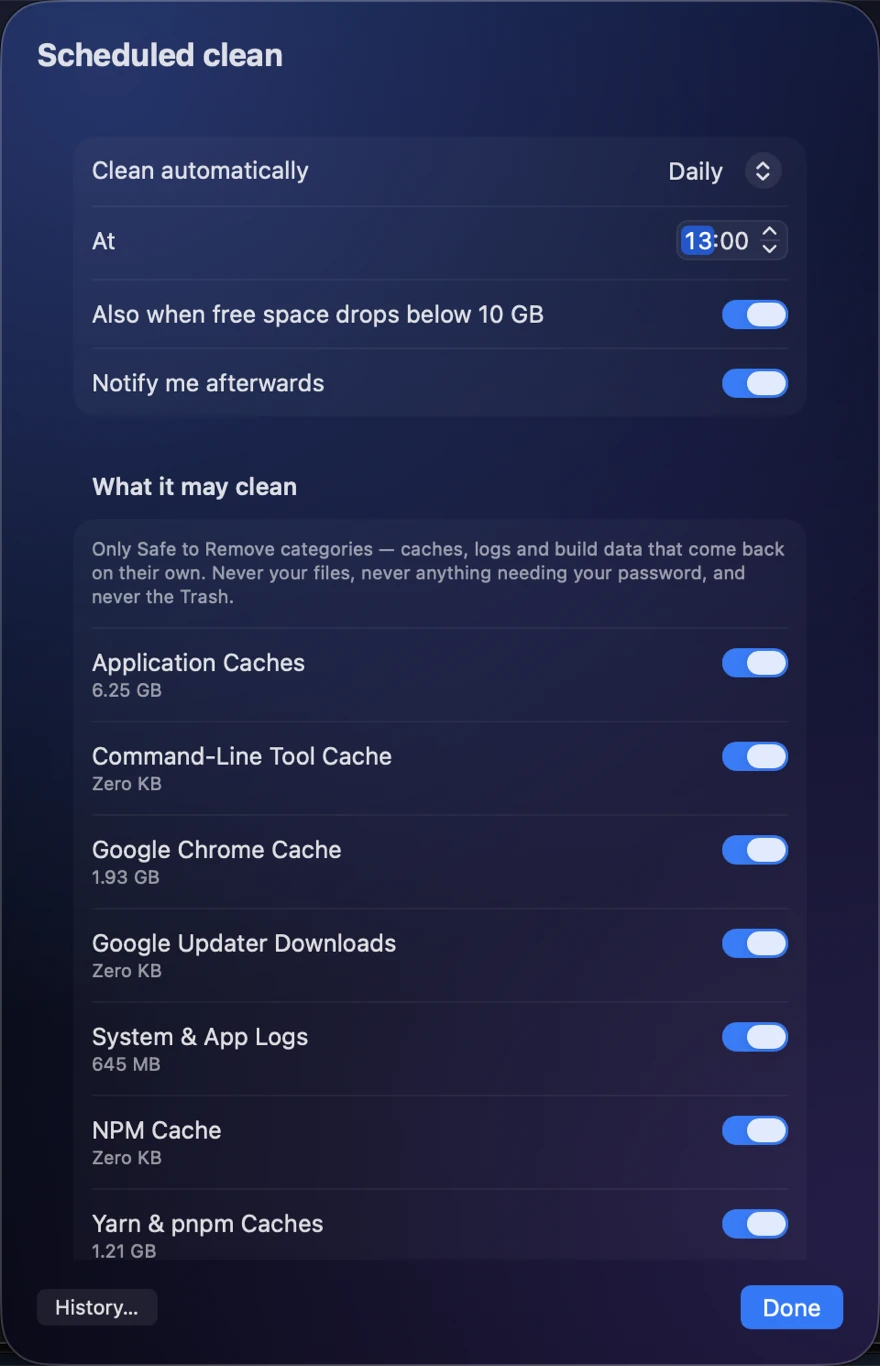
Set a time and Atzu Safe Data Cleaner cleans the safe categories on its own — caches, logs and build data that come back by themselves. Add a floor for free space and it will also run whenever your Mac drops below it.
- Only Safe for auto removal. Never your files, never anything needing your password, and never the Trash — that is the undo for everything else.
- You choose the categories. Any of them can be dropped from the scheduled run while staying one click away by hand.
- Every run is written down. What it took and what it freed, in the history, so an automatic clean is never a thing that happened quietly.
Quickly open from the menu bar
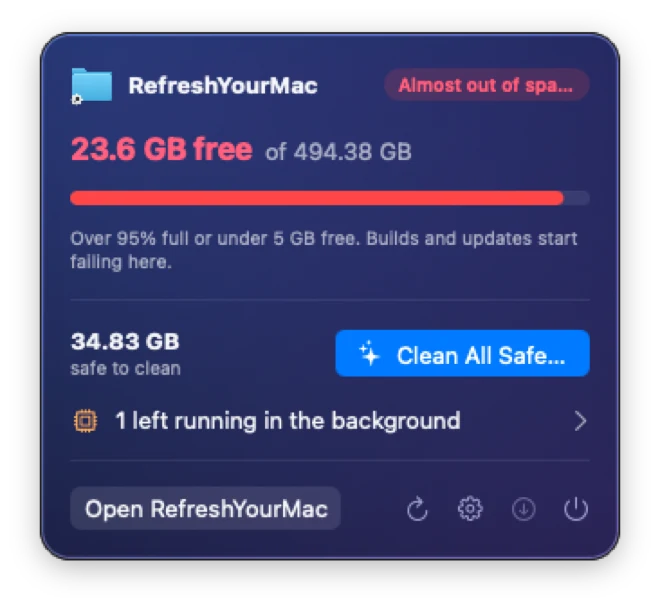
Atzu Safe Data Cleaner lives in the menu bar. Its icon turns orange as the disk fills and red when it is nearly gone, so you find out before a build fails rather than after.
Click it for how much is free, how much is safe to clean, anything left running in the background, and when the last automatic clean ran. Clean All Safe is right there — the window is for when you want to look at what it found.
The Dock icon appears only while that window is open, unless you ask it to stay.
Two skins
Pick the window the app wears. Both show the same measurements.
More in the app
- Maintenance jobs: seven things macOS does not surface, each measured before it runs.
- Uninstalling apps, with the files they leave in your Library.
- CPU and memory, and what is still running in the background.
- Security status: the security state it reads, in place of a scanner.
- For developers: Xcode, simulators, package caches and AI tools.